
Pango Neuro · Naver Search Ads integration
Review Naver Search Ads — and adjust the bids.
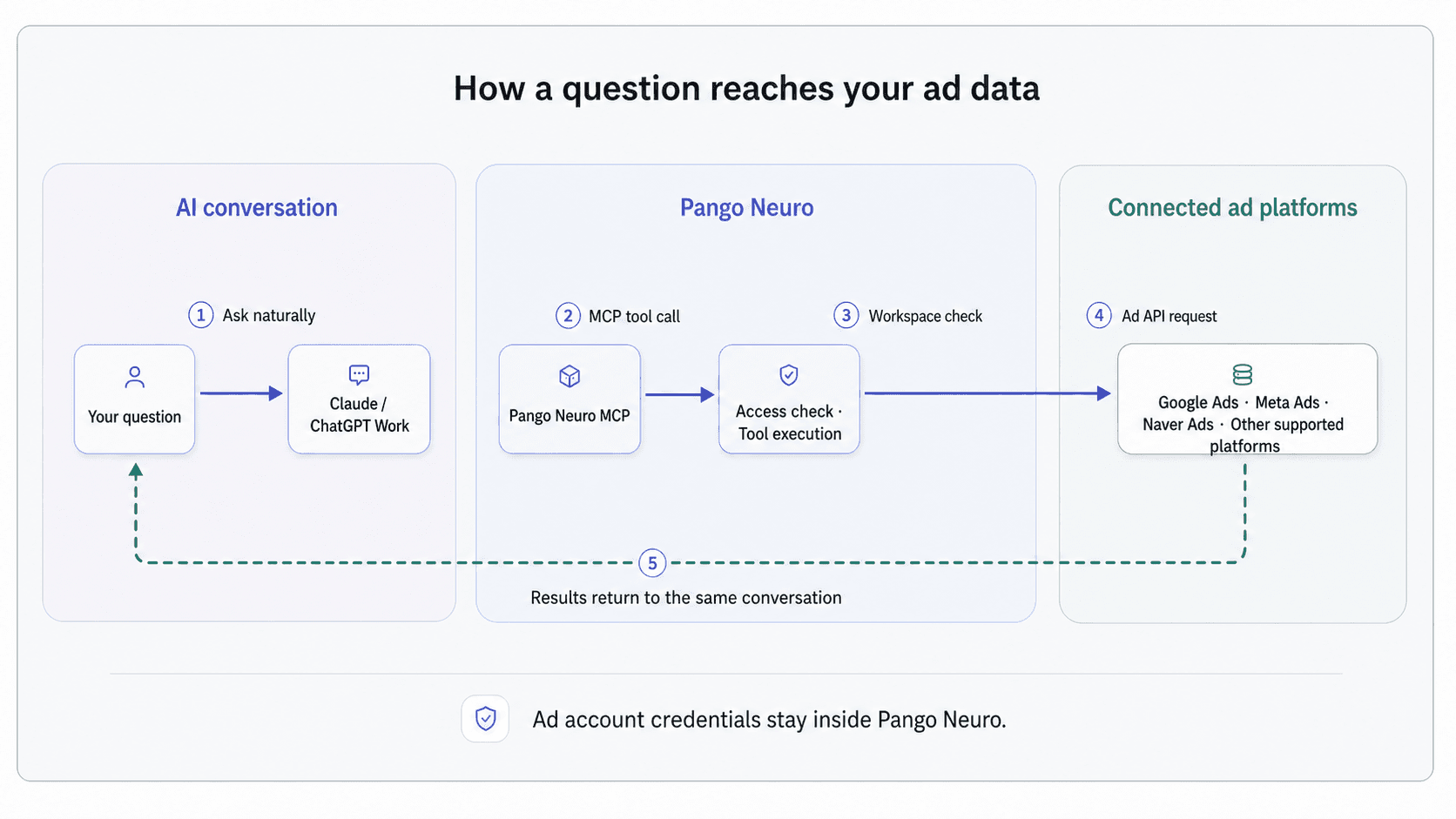
Connect a Naver Search Ads account to retrieve campaign, ad-group, and keyword performance, then preview and apply bid changes in the same conversation.
- Retrieve Naver Search Ads performance
- Review campaigns, ad groups, and keywords
- Apply keyword bid changes in bulk
Connect Naver Search Ads to review campaigns, ad groups, keywords, search terms, and product-specific structures from an AI conversation.
Pango Neuro turns Naver reporting tables into analysis-ready data and checks Korean-market constraints that are easy to miss, including contract products and fields the API cannot change.
What you can ask Naver Search Ads
Use everyday operating language to review queries, keywords, bids, and budget scenarios.
Try asking
“Compare last month's spend, conversions, and cost per conversion by campaign, then flag unusual periods.”
What happens
Pango Neuro queries the reporting data and organizes changes by campaign and ad group.
Try asking
“Find search terms with spend but no conversions, and show the related keywords.”
What happens
Search-term and keyword data are joined into a review list instead of treated as separate exports.
Try asking
“Lower bids on keywords that only spend, and raise bids 10% on the ones that convert.”
What happens
You see each keyword with its current and new bid, then the batch is applied on your confirmation.
01
Query Naver reporting data around the business question
Retrieve campaign, ad group, keyword, and search-term data from supported tables with the period and metrics the analysis requires.
- Review campaign, ad group, and keyword performance
- Connect search terms with conversion outcomes
- Discover available reporting tables and fields
execute_naver_sqllist_naver_table_idsget_naver_table_info02
Check the forecast and local platform rules first
Use past performance for a time-series forecast, then confirm what the campaign product and Naver API actually allow you to change.
- Forecast daily performance trends
- Separate contract products from adjustable inventory
- Search the API guide and known limitations
forecast_naver_adssearch_api_guidesearch_api_limitations03
Operate supported resources after review
Read, create, update, or remove supported campaigns, ad groups, keywords, and related resources inside the connected account.
- Verify the resource and account ownership
- Preview bid-weight changes before applying them
- Run mutations only through the authorized workflow
get_resourcecreate_resourceupdate_resourcepreview_criterion_bid_weightsupdate_criterion_bid_weights_batchdelete_resource