
Pango Neuro · AI ad operations
Hand campaign setup and bid changes to the AI you already use.
You don't have to open every ad platform. Tell the AI you already use to launch a campaign, pause what isn't working, or move budget, bids, and targeting — and it runs.
- Create campaigns and ad groups from a chat
- Pause, rebudget, rebid, and retarget
- Review every change before it runs
The slow part of ad operations is not reading numbers. It is opening one platform after another to build a campaign, pause what is losing money, and reset targeting.
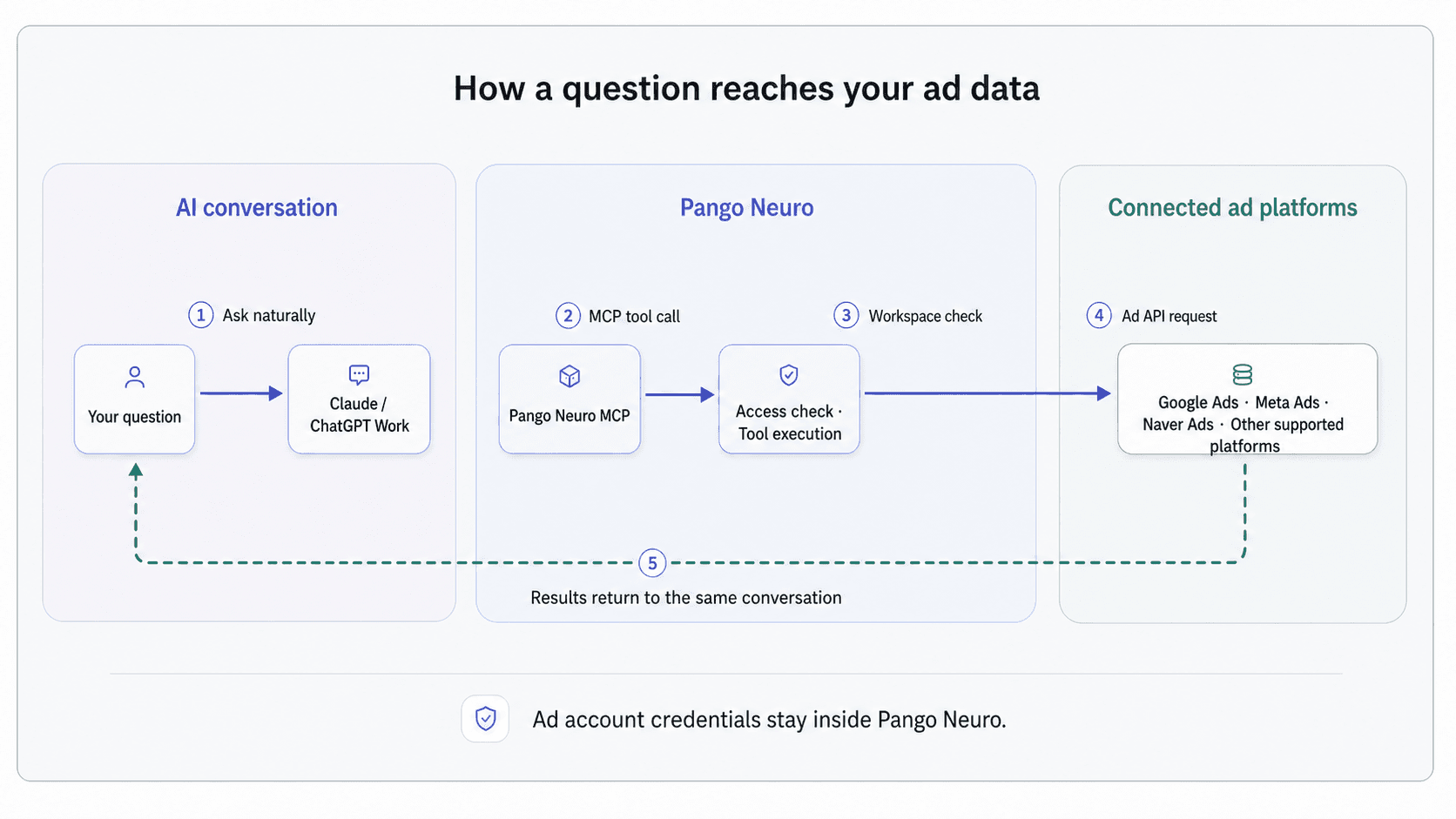
Pango Neuro runs those changes inside the AI conversation you already use. Create campaigns, pause ad sets, move budget, adjust bids, and change targeting on connected platforms — after seeing exactly what will change.
Say it, and it runs
There is no command language to memorize. Name what to change and on what condition, and you see the change before it is applied.
Try asking
“Create a new Search campaign in Google Ads: $300 daily budget, California only, using the top-performing keywords from our brand campaign.”
What runs
You get the campaign, ad group, and keyword structure to review, then it is created in the connected account.
Try asking
“Pause every Meta ad set with CPA over 2x target for the last 7 days and move the freed budget to the sets that are working.”
What runs
Pango Neuro finds the ad sets that match, shows what will be paused and where the budget moves, then executes on your confirmation.
Try asking
“Widen the TikTok ad group's age targeting to 35 and raise the bid by 10%.”
What runs
You see each ad group's current settings next to the new values, and the change is applied.
01
Build a campaign without opening the platform
Give the goal, budget, locations, and keywords or audience, and the campaign, ad groups, and ads are built and created in the connected account. The same instruction works across Google, Meta, TikTok, Naver, and other supported platforms.
- Create campaigns with budget and bid strategy
- Structure ad groups modeled on existing campaigns
- Set up several platforms on the same terms
02
Pause, raise, and widen without leaving the chat
Most of the work is in-flight adjustment. Name the performance rule and Pango Neuro finds the targets, changes their status, moves budget and bids, and widens or narrows targeting.
- Pause campaigns and ad sets that hit your rule
- Reallocate budget and adjust bids
- Change age, location, and interest targeting
03
See what changes before it changes
You get the targets, their current values, and the new values before anything runs. If you need more evidence first, pull the performance data in the same conversation and act on it.
- Confirm the target list and before/after values
- Run only within the connected account's permissions
- Keep unsupported work as analysis and a recommendation