
Pango Neuro · Google Ads integration
Use Google Ads data and supported operations in the AI you already use.
Connect a Google Ads account to a Pango Neuro workspace, then request performance analysis, reporting, and supported operations from a compatible AI.
- Retrieve Google Ads structure and performance
- Analyze campaigns, keywords, and search terms
- Operate within permissions and supported actions
Connecting Google Ads is more than listing campaigns. You can move from performance retrieval to search-term analysis, keyword planning, forecasts, and supported account changes in one AI conversation.
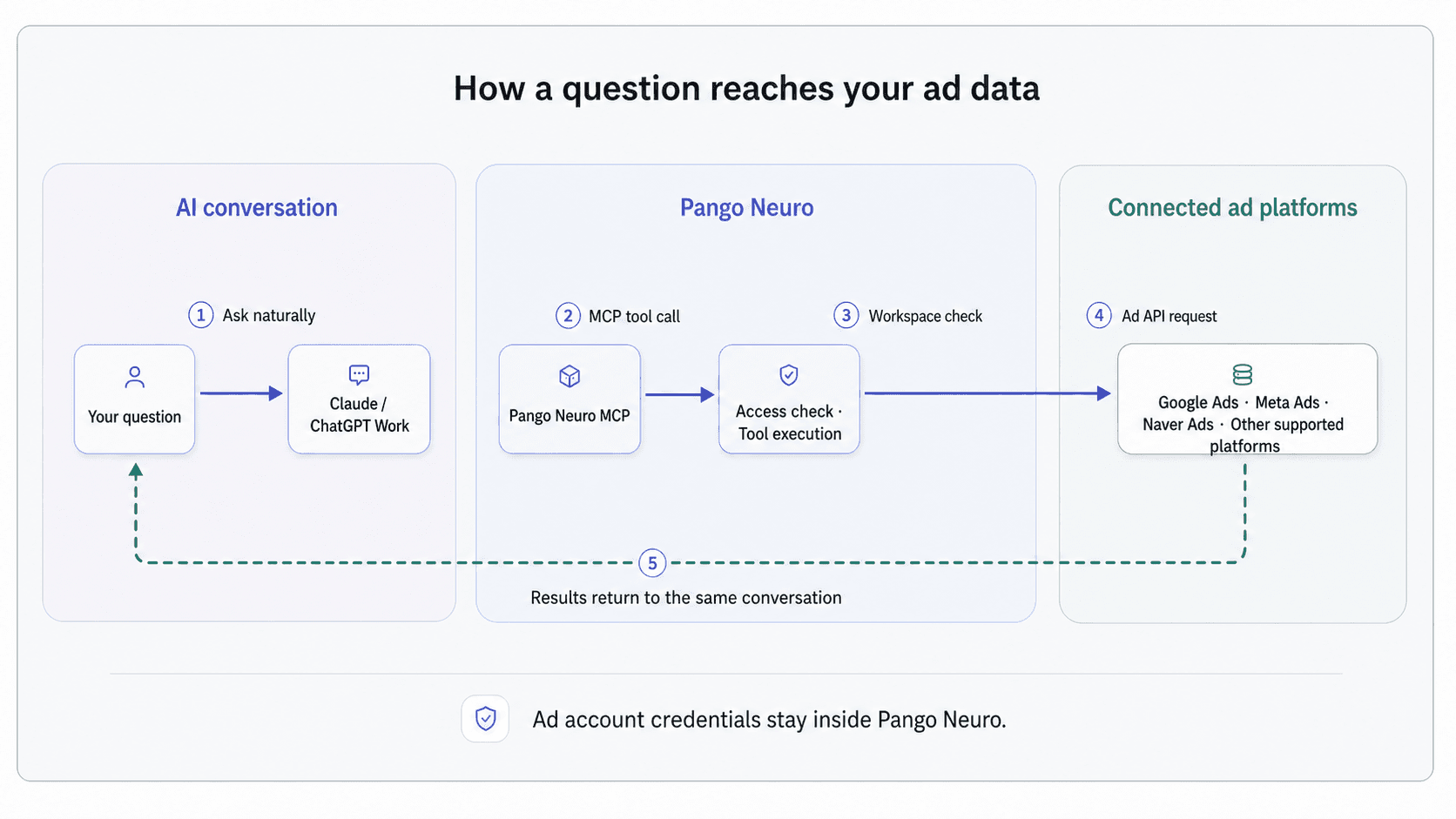
Pango Neuro chooses and calls the Google Ads tools for you. You do not need to know GAQL or the API resource model to ask a useful question.
What you can ask Google Ads
Use the language of the task, from a performance review to a keyword forecast or a proposed change.
Try asking
“Compare campaign spend, conversions, and CPA for the last 30 days with the previous period.”
What happens
Pango Neuro checks account currency and dates, retrieves the campaign metrics, and ranks the largest changes.
Try asking
“Find keyword ideas related to “Jeju car rental” and compare expected clicks and cost.”
What happens
Keyword ideas are generated and forecast under the requested language, location, bid, and budget assumptions.
Try asking
“Pause the keywords that aren't performing and raise bids 10% on the ones that convert.”
What happens
The target keywords and changes are laid out, validated with a dry run, and then applied.
01
Query performance at the level the question requires
Retrieve campaigns, ad groups, ads, keywords, and search terms with an explicit period and metric definition. Currency and conversion context are checked before interpretation.
- Compare campaign, ad group, and ad performance
- Review keyword and search-term cost, clicks, and conversions
- Pull additional fields when a follow-up question needs more detail
execute_gaqlvalidate_gaqlget_resource_schema02
Explore keywords and forecasts without creating a plan
Generate ideas from seed terms or a landing page, then forecast impressions, clicks, cost, and conversions for a location, language, bid, and daily budget.
- Review search volume, competition, and bid ranges
- Compare keyword-level forecast scenarios
- Keep planning read-only until you decide what to build
generate_keyword_ideasforecast_keyword_metrics03
Validate supported changes before they run
Supported Google Ads resources can be created, updated, or removed. API limitations are checked first, and a dry run can validate the complete batch without applying it.
- Prepare batch changes across supported resources
- Use dry-run validation before touching the account
- Run only on accounts you have permission for
search_api_limitationsmutate_resources