
Scheduled tasks
Scheduled tasks let AI handle recurring reporting and data analysis for you automatically at a set time every day or week.
Create schedule
Go to Workspace > Scheduled tasks and click New scheduled task.
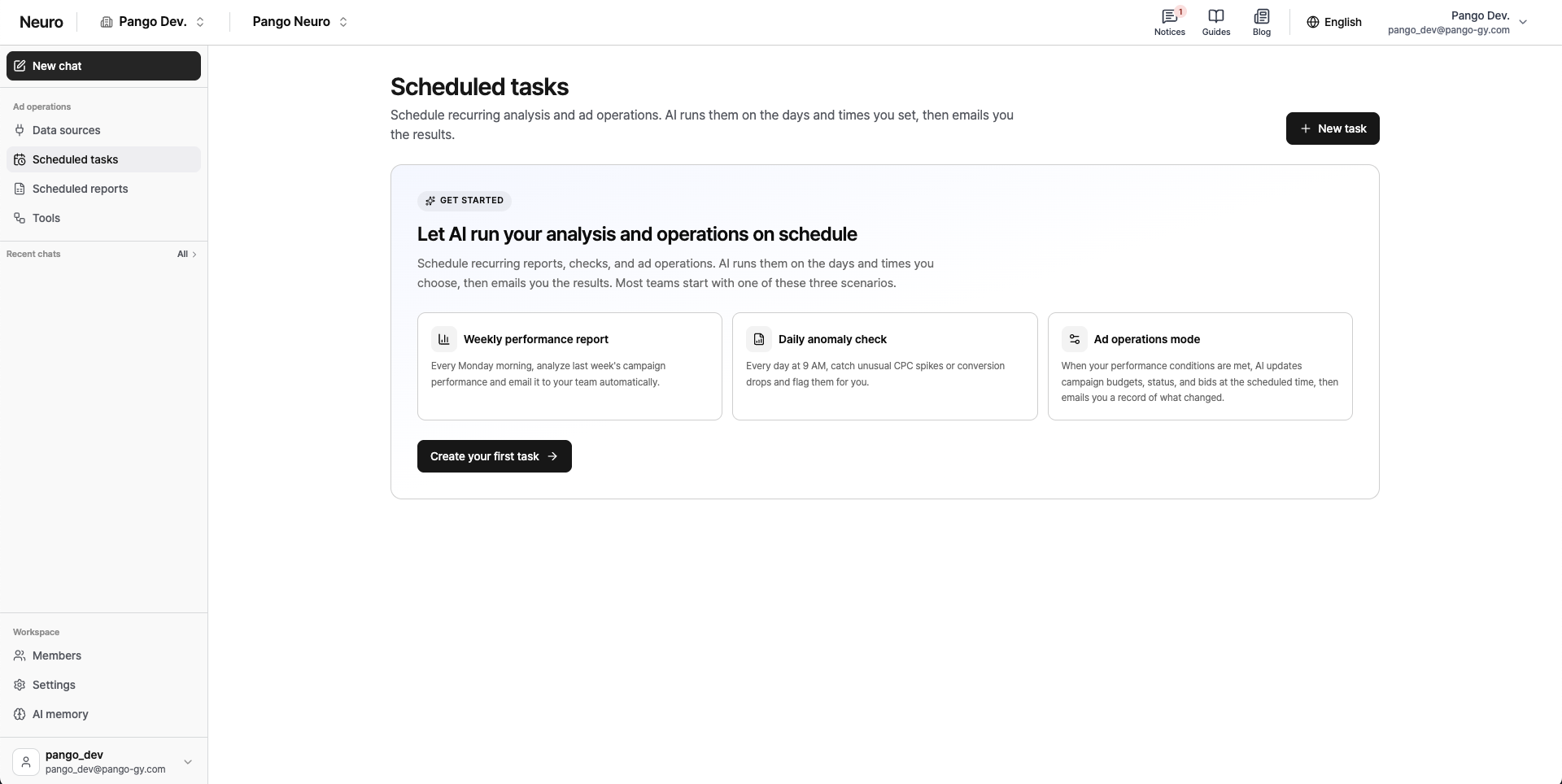
Title and details: Name your scheduled task and clearly describe what you want the AI to do (the prompt) in detail.
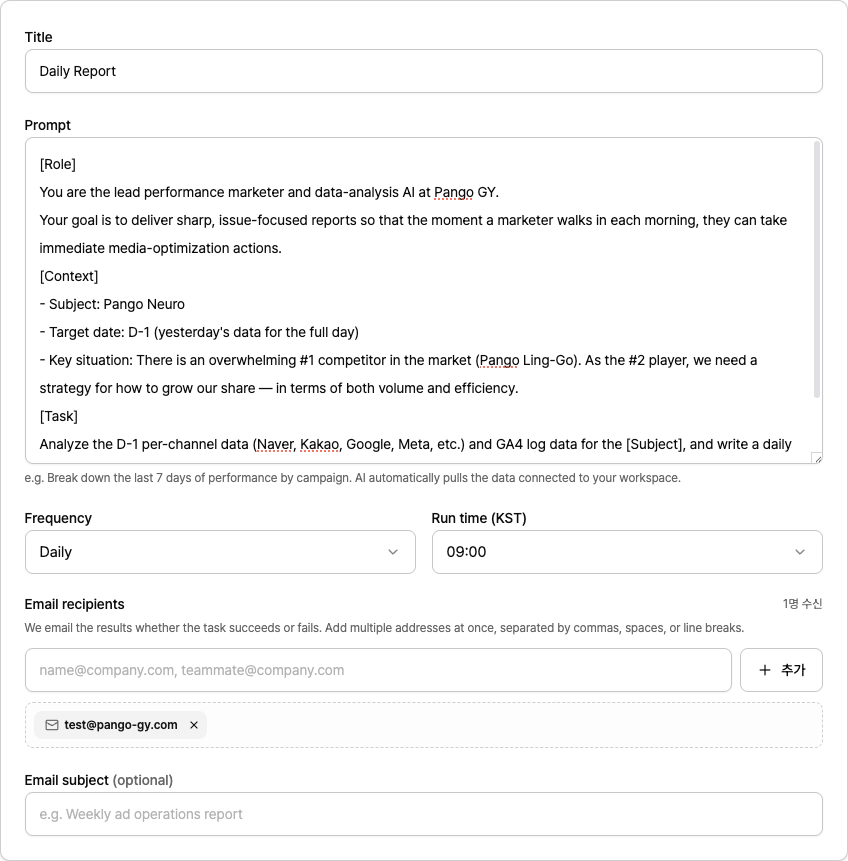
Schedule: Choose how often to run (daily/weekly), which day(s), and the exact run time (KST).
Recipients: Enter the email address to receive the results, plus an optional email subject line, then save.
Run and manage
Auto send: At the scheduled time, the AI processes the prompt and immediately emails the results to the specified address.
View history: In the run history tab, you can revisit all past outputs and delivery logs anytime.
Flexible control: Use the active toggle to pause or resume a task, and click [Run now] to get a result immediately, regardless of the schedule.