
AI memory
AI memory learns and remembers key context from your chats and automations at the workspace level, so once it’s saved, it’s automatically applied to future conversations. You don’t have to re-explain the same background every time.
What does it remember?
Insights and decisions: Important calls you’ve made in chat and actions you repeat often
Tool know‑how: Trial and error and best practices you’ve learned when using specific tools
Business context: Core KPIs, seasonal issues, brand preferences, and your working style
Bidding history: Logs your Smart Bidding changes so they’re available for the next optimization round.
How is it collected?
Auto‑save: Key details from your conversations with AI are automatically captured.
Manage in chat, in real time: During a conversation, say “Save this to memory” to add information on the spot, or “Delete the memory you just saved” to remove something you no longer need.
Automation logging: Every time an automation tool like Smart Bidding runs, its change history is written to memory.
Manual add: Go to Workspace > AI memory to manually enter important information yourself.
Management
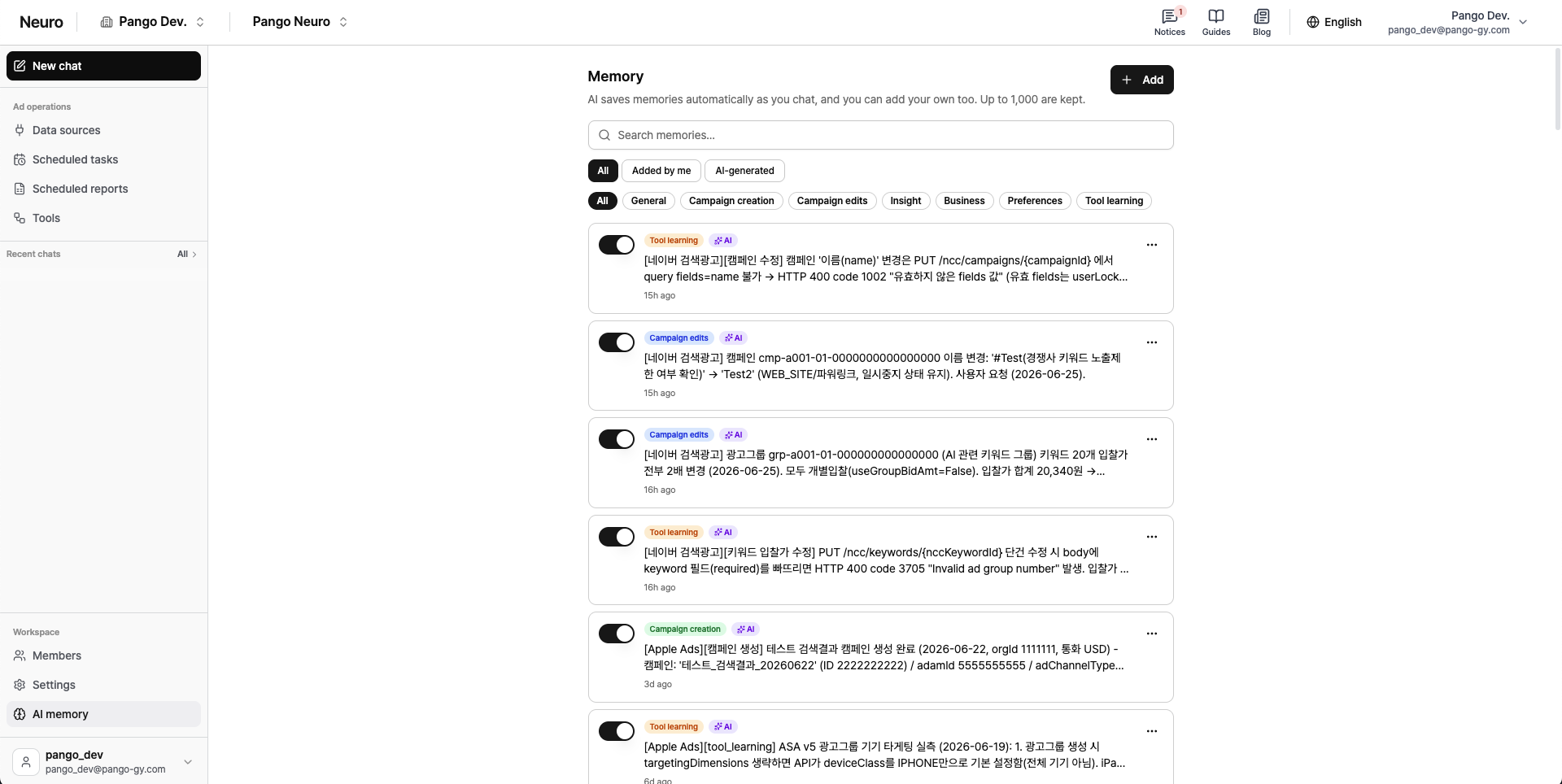
Flexible editing: In Workspace > AI memory you can add, edit, delete, and toggle each item on/off as needed.
Tags: Organize systematically with tags such as General, Campaign creation, Campaign edits, Insights, Business, Preferences, Tool know‑how, and more.