
Connect LY Ads Search Ads
Connect your Japan LY Ads (LINE Yahoo) search ad account using your Yahoo! JAPAN Business ID. Neuro will handle campaign, ad group, and keyword performance reporting and optimization with AI.
What you need
A Yahoo! JAPAN Business ID with access permissions to your LY Ads search ad accountYahoo! JAPAN Business ID
How to connect
In your workspace, go to Data sources and click the LY Ads (Search) card, then hit Connect.
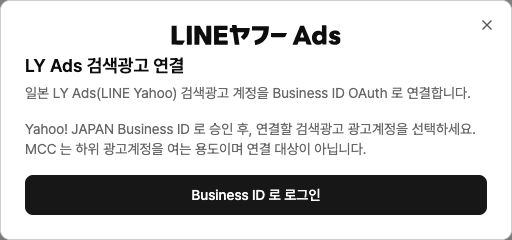
Click Business ID 로그인 in the popup and approve access. If you’ve already authenticated LY Ads before, click Continue with existing authentication
so you don’t have to log in again.From the ad account list, select the account you want to connect and click Connect
. If you run both, connect both cards. Once a Business ID is approved, that authentication can be reused for other LY Ads connections.
Use cases
“Show me last month’s LY Ads search clicks and cost by keyword.”
“Increase bids for campaigns with low impression share.”
Troubleshooting
No ad accounts appear to select
Either the approved Business ID doesn’t have permissions on any ad accounts, or there are no accessible accounts under the MCC. Check permissions in the LY Ads UI.
The login window doesn’t open
Your browser is blocking popups. Allow popups for this site from the popup-block icon in the address bar, then try again.
It says the authentication window was closed or timed out