
Connect ChatGPT Ads
When you connect your ChatGPT Ads (OpenAI Ads) account, Neuro’s AI can pull and analyze your campaign performance. Instead of OAuth, you connect with a single API key.
What you need
Permission to create an API key for your ads.openai.com ad account
How to connect
Log in to ads.openai.com and go to Settings → API keys to issue a key, then copy it.
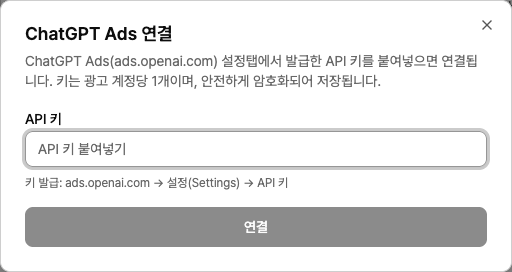
In your workspace, open the Data sources page and click ChatGPT Ads and then Connect.
Paste the copied key into the API key field and click Connect. Neuro validates the key with a live API call before saving it, so if it passes, your account is connected right away.
Example prompts
“Summarize this week’s ChatGPT Ads campaign impressions, clicks, and spend.”
“Show me which campaigns have a CPA above target.”
Troubleshooting
It says the key is invalid
There may be leading or trailing spaces when you copied the key, or the key may already have been revoked. Go to the settings page in ads.openai.com, create a new key, and paste it again.
It says this account is already connected
The same ad account is already connected to this workspace. To rotate the key, remove the existing connection first, then reconnect with the new key.