
Connect Amazon Ads
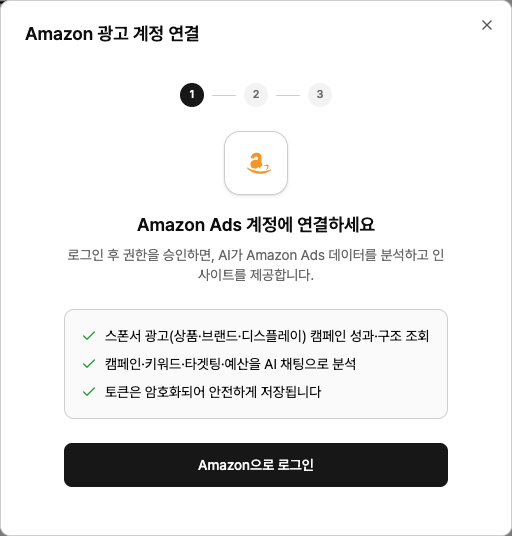
Once you connect your Amazon Ads account, Neuro’s AI will pull and analyze the campaign structure and performance of your Sponsored ads (Products, Brands, Display).
What you need
An Amazon account with access to the Amazon Ads account you want to connect
How to connect
In your workspace, go to Data sources and click the Amazon Ads card, then hit Connect .
Click Sign in with Amazon
, log in in the popup, and approve access.Select the ad account. For each account, you’ll see how many Marketplaces in use
are attached.Then choose the Marketplace (country)
in the list can’t be connected yet.
Examples
“Summarize this month’s Sponsored Products campaign ACOS.”
“Find keywords with zero conversions.”
“Compare spend and revenue by country.”
Troubleshooting
It says the connection is about to expire or has expiredStarting from the date you approve access, Amazon 365 days later your connection authorization expires. There’s no auto-renew, so you must log in again to re-authorize
. When expiration is approaching, you’ll see a notice on the Data sources screen—click the Amazon card and follow the same flow to reconnect. (Connections approved before this expiration policy was introduced do not expire.)
My ad account list is empty
The Amazon account you logged in with doesn’t have access to any ad accounts. Check your user permissions in the Amazon Ads console.
The login window doesn’t appear
Your browser is blocking popups. Allow popups for this site from the icon in the address bar, then try again.
You may have closed the window before finishing authentication, or the login took too long. The connection just wasn’t saved—nothing else was affected. Please start over and try again from the beginning.