
Connect Google Sheets
When you connect Google Sheets, the AI in chat can read from and write to your spreadsheets directly. You can have it organize analysis into a specific sheet or range, or even create new spreadsheets and manage tabs, all by chatting.
What you’ll need
A Google account that has access to the spreadsheet you want to work with
How to connect
In your workspace, go to Data sources and find the Google Sheets card, then click Connect.
Click Sign in with Google and, on the consent screen, check the permission for Google Sheets
.If you’ve already connected another Google platform, you can pick that account from Use existing Google account
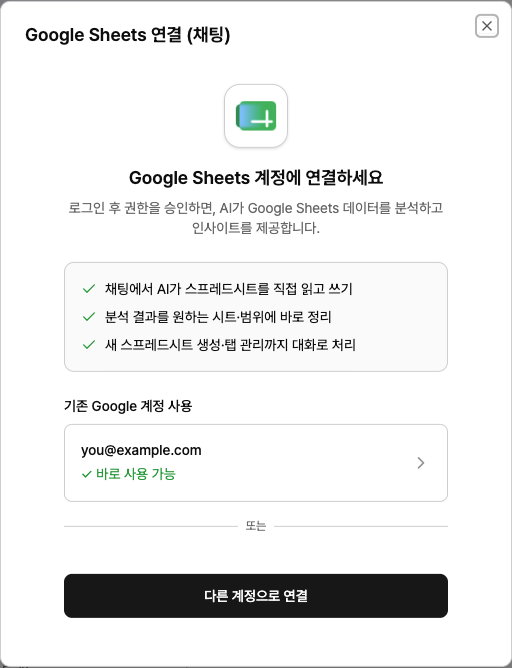
. It will not access non-spreadsheet files in Drive, such as docs or images.
Examples
“Summarize this month’s performance by channel in this sheet.” (Include the sheet URL.)
“Create a new spreadsheet and build a table with cost and conversions by campaign.”
“Sort by column B and add a new summary tab.”
Troubleshooting
You see a message saying you need to check permissionsThis happens if you skipped checking the Google Sheets
permission on the Google consent screen. Google won’t grant any permissions you don’t check, so sign in again, select that permission, and continue.
It says it can’t find the sheet or you don’t have access