
Connect Apple Ads
When you connect your Apple Ads (Apple Search Ads) account, Neuro’s AI analyzes campaign, ad group, and keyword performance for your App Store search ads. You don’t need to create any keys or certificates — just delegate access with Sign in with Apple.
What you need
An Apple account with access to the Apple Search Ads account
How to connect
In your workspace, go to Data sources and click the Apple Ads card, then hit Connect.
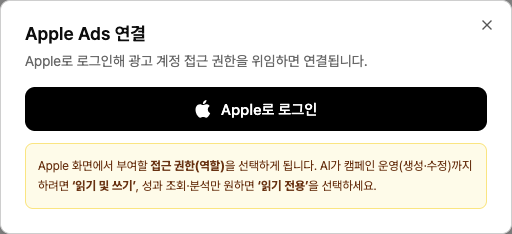
Click Sign in with Apple
in the popup and log in.On the Apple screen, choose the access level (role) to grant. For AI to create and edit campaigns, choose Read and write. If you only want performance reporting and analysis, choose Read only
. Once access is granted, you’ll see a list of accounts you can connect. Select the account you want and click Connect
Examples
“Show me installs and CPA by keyword for Apple Search Ads this month.”
“Find keywords with zero conversions.”
“Compare budget pacing by campaign.”
Troubleshooting
It says this account is already connected
That Apple Ads account is already connected to this workspace. Check the existing connection in Data sources and disconnect it there first if needed, then try connecting again.
The login window doesn’t appear
Your browser is blocking popups. Allow popups for this site from the popup-block icon in the address bar, then try again.
It says the auth window was closed or timed out
You closed the window before finishing authentication, or the login took too long. The connection just wasn’t saved—nothing else was changed—so start the connection flow again from the beginning.