
Connect Google Analytics 4
When you connect your Google Analytics 4 account, you can go beyond just checking performance AI now covers user journeys and contribution analysis, so you can build a more holistic, data-driven strategyThis makes it possible.
How to connect
In Workspace > Data sources Google Analytics 4 Select .
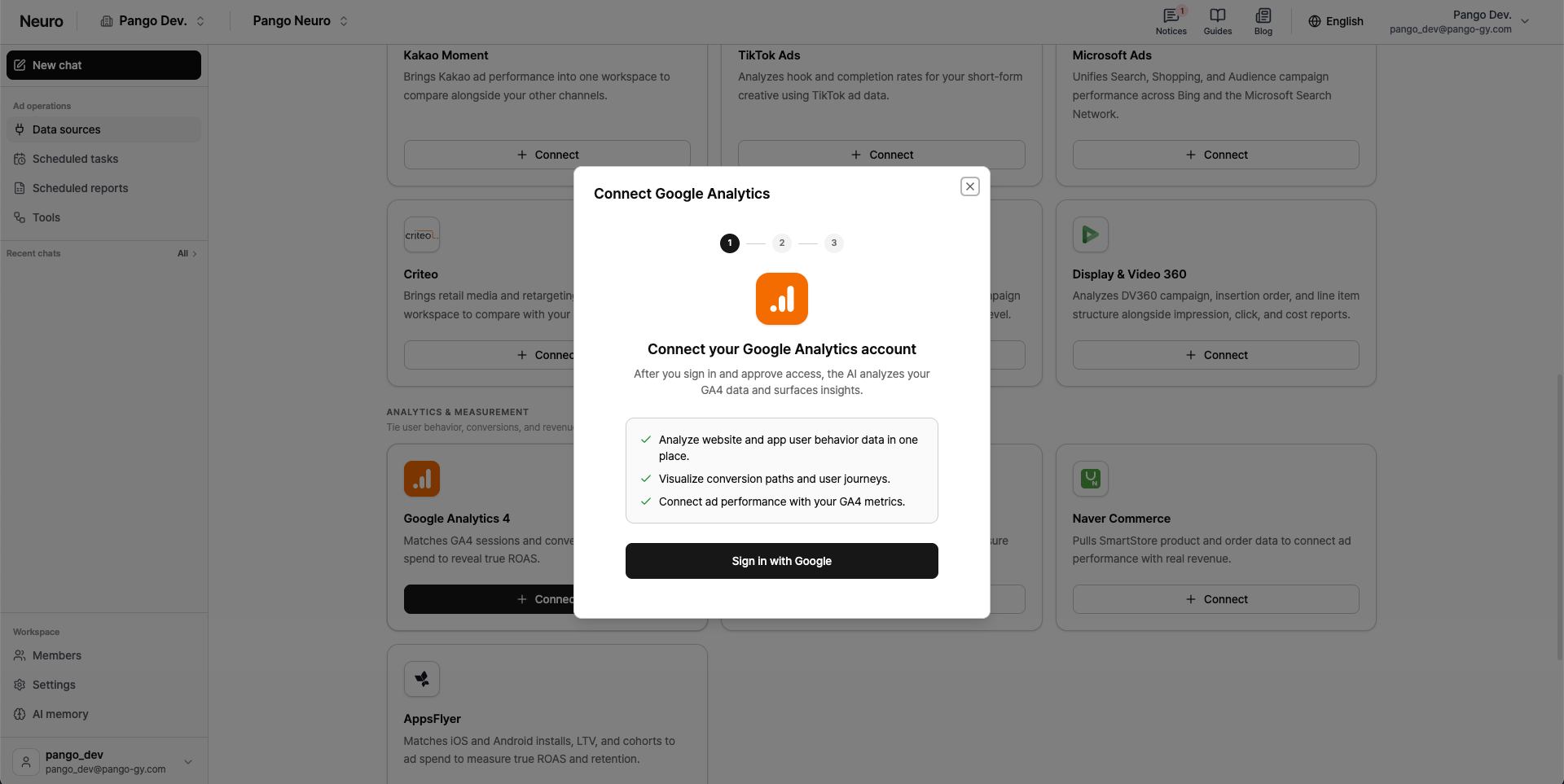
Sign in with Google Click to open the popup and complete Google login and permissions.
Select a Google Analytics account.
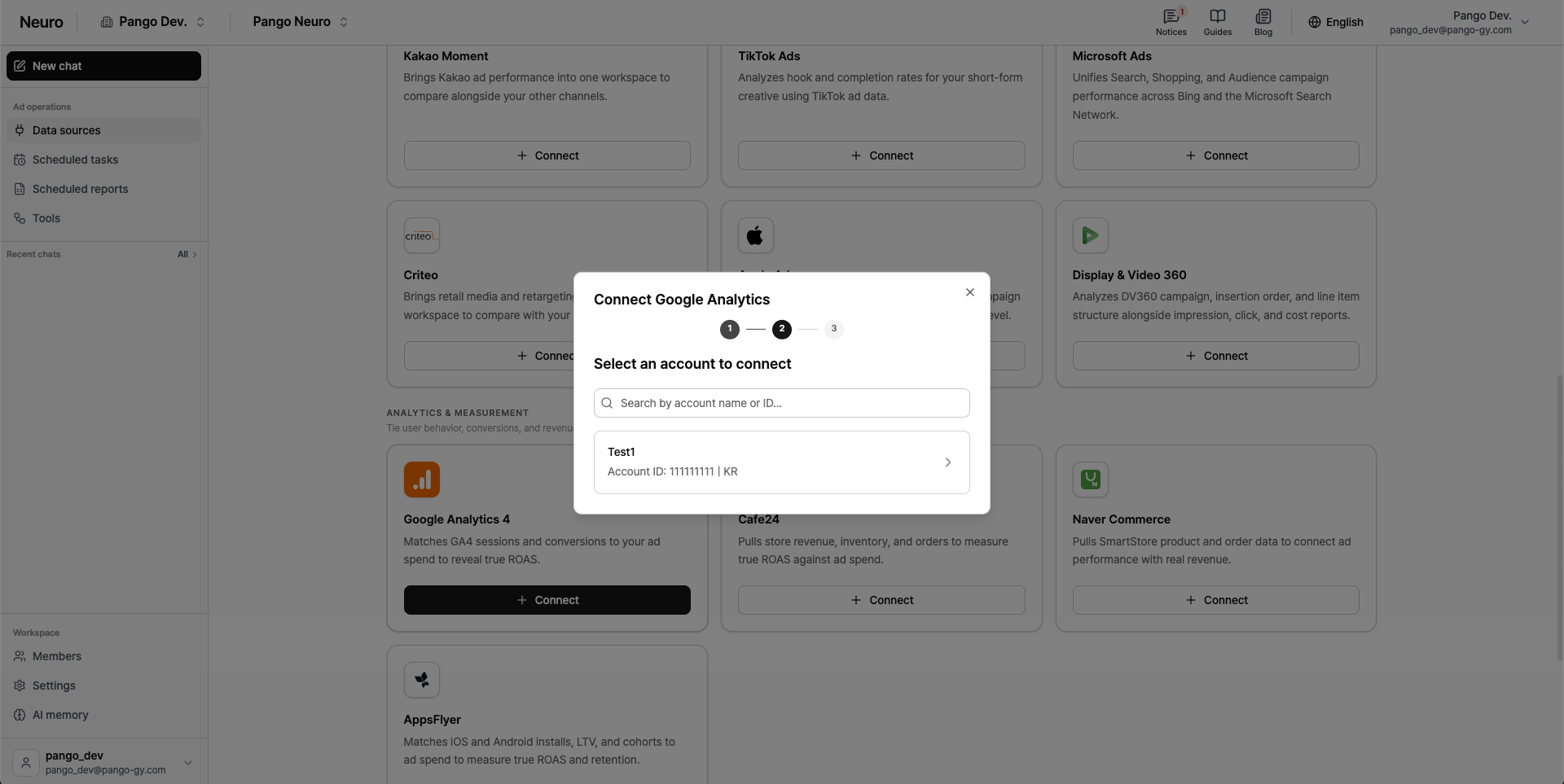
Select the final account to connect from your chosen accounts Attribution Select .
Use the account path above the search bar to go back to account selection.
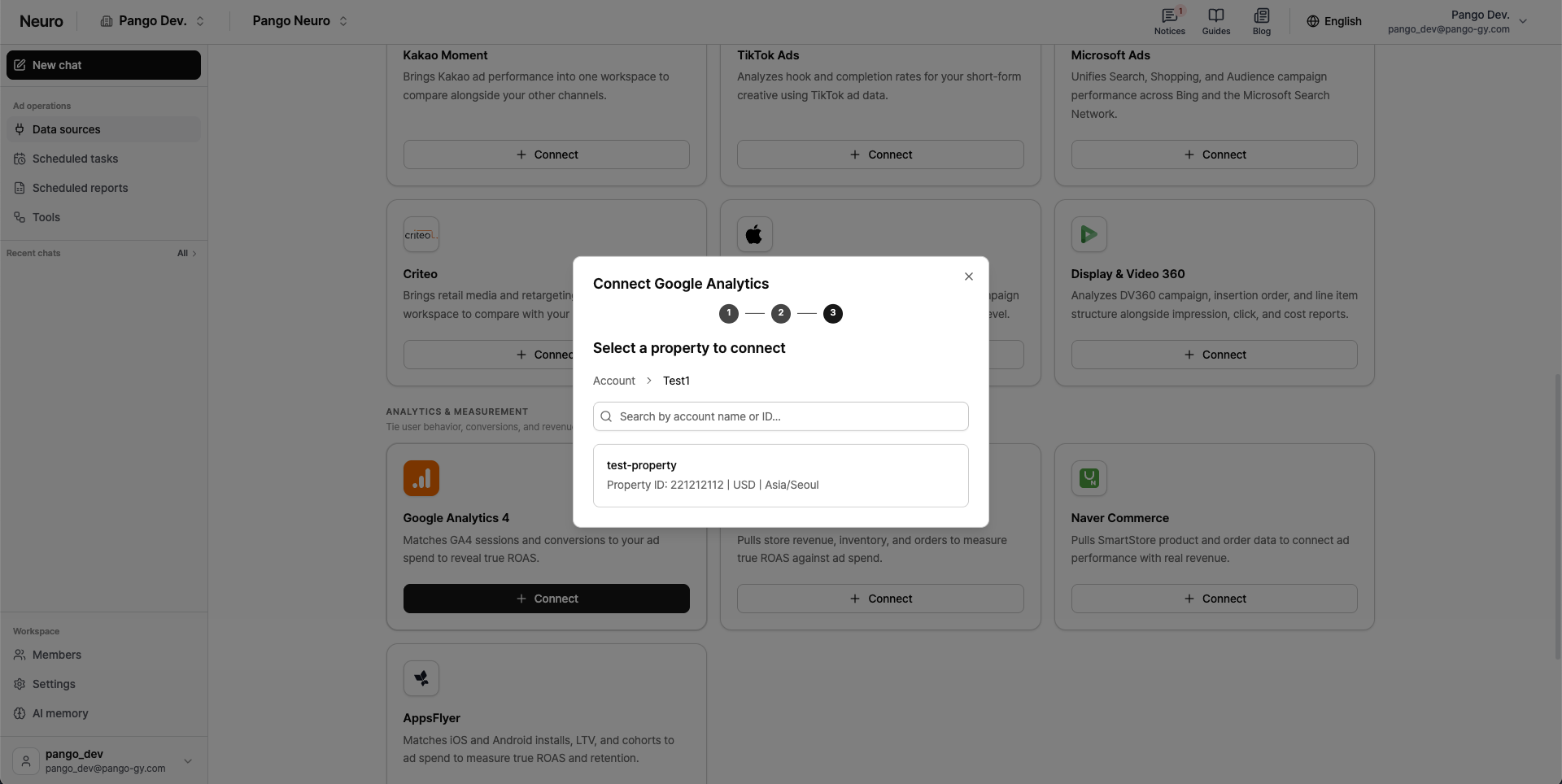
This Google account authentication will also be reused when you connect Google Ads, Google Docs, or Google Sheets.